
If your organization is still relying on a fingerprint biometric machine bolted to the wall near reception, it’s worth asking a blunt question: when was the last time it actually worked reliably for every employee, every single day? For most HR and admin teams, the honest answer involves at least one story about a machine failing during peak hours, a night-shift worker whose fingerprint won’t register because of manual labor wear, or a WFH policy that the machine simply has no way of accommodating.
The Fingerprint Machine Problem Nobody Talks About Enough
Fingerprint biometric devices were a genuine upgrade over paper registers and punch cards when they were introduced. But they were built for a workplace model that doesn’t match how most organizations operate today.
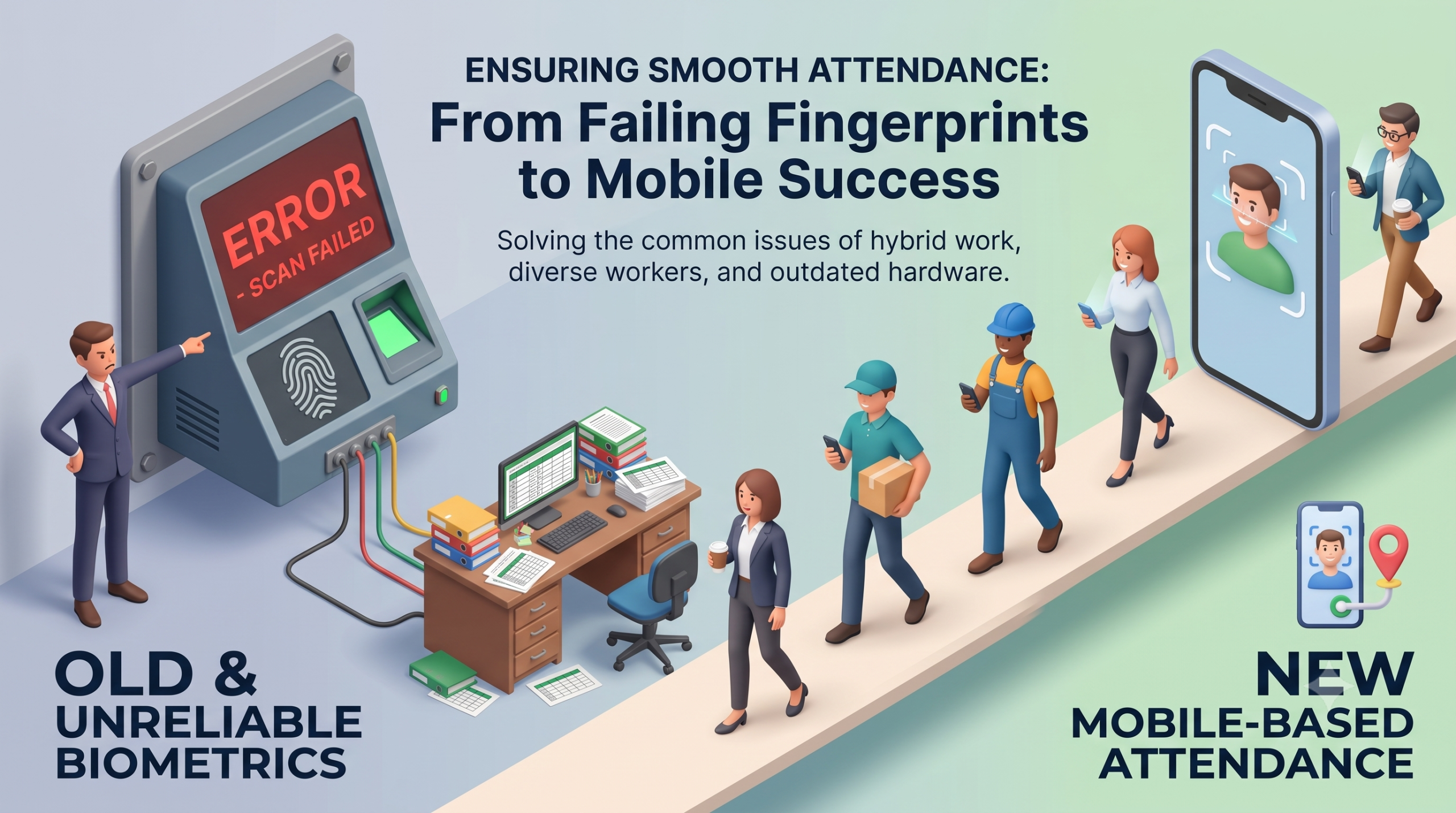
They fail on the people who need them most. Factory workers, delivery staff, construction labor, and anyone doing manual work regularly develop worn, cracked, or calloused fingertips that fingerprint sensors struggle to read. This isn’t a minor edge case — in manufacturing and field-heavy industries, failed fingerprint reads are a daily operational headache, and the workaround (manual attendance override by a supervisor) defeats the entire purpose of biometric verification.
They assume everyone is at one physical location. A fingerprint machine is fixed to a wall. It has no answer for hybrid work, multi-site teams, field sales staff, or on-site project employees scattered across a city. Organizations end up running parallel systems — biometric for office staff, Excel sheets or WhatsApp check-ins for everyone else — which creates exactly the fragmented, unreliable attendance data that automation was supposed to eliminate.
They’re a hygiene and hardware liability. Post-2020, shared touch surfaces are a legitimate concern in many workplaces, and biometric sensors are exactly that — a communal touchpoint used by every employee, several times a day. On top of that, the sensors themselves degrade with heavy use and need periodic replacement, and any downtime effectively means “no attendance system” until it’s fixed.
They don’t verify location, only identity. A fingerprint scan tells you someone with matching biometric data was present at the machine. It tells you nothing about whether a field employee, a site engineer, or a sales rep visiting a client actually reached where they were supposed to be.
What Mobile-Based Attendance Actually Solves
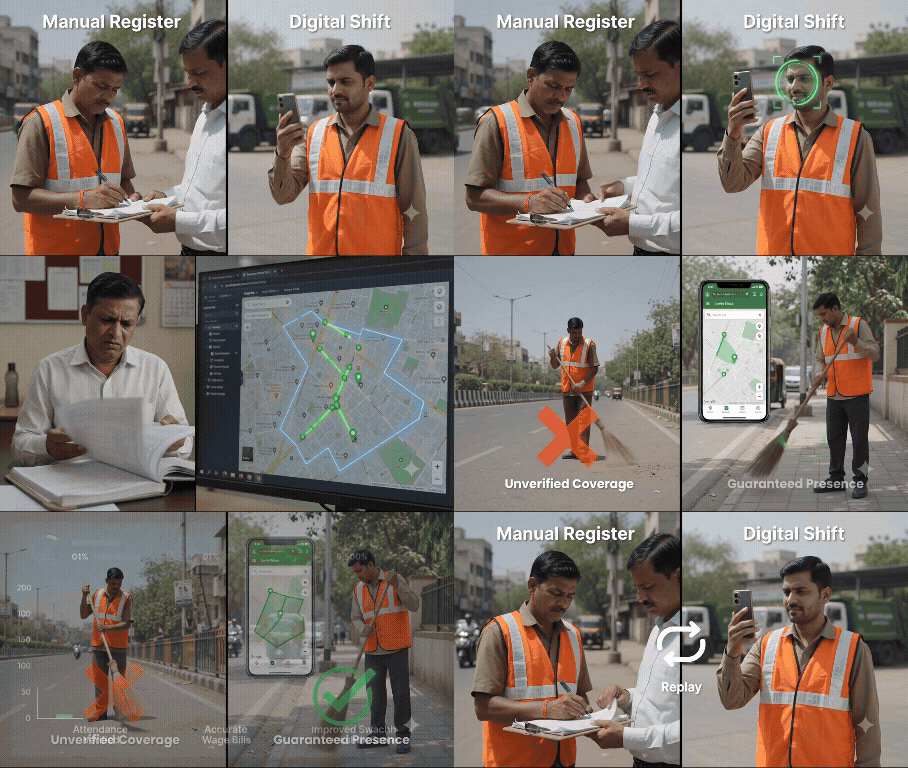
Mobile attendance systems — using facial recognition through a smartphone camera, combined with GPS and geofencing — address every one of the gaps above, and they do it with hardware employees already carry: their phone.
1. Facial recognition instead of touch-based biometrics
No physical contact, no hardware degradation from wear, and no failure modes tied to manual labor affecting fingertip readability. Face recognition models have matured enough that accuracy in controlled lighting conditions now comfortably matches or exceeds fingerprint reliability, without the hygiene concerns.
2. GPS and geofencing for field and multi-site teams
Attendance isn’t just “clocked in” — it’s “clocked in at the correct location.” For organizations with field sales teams, facility managers rotating across sites, or project-based site engineers, this is often more valuable than the face recognition itself, because it verifies presence at the right place, not just presence somewhere.
3. Works for hybrid and remote-first policies natively
A mobile app doesn’t care whether an employee is in the office, at a client site, or working from home on an approved day — it can be configured to accept different check-in rules for different work modes, something a wall-mounted machine simply cannot do.
4. Real-time visibility for HR and management
Instead of pulling attendance data at month-end for payroll, HR teams get a live dashboard — who’s checked in, who’s late, who’s marked present from an unexpected location (a useful fraud flag), and automated alerts for irregular patterns.
5. Zero additional hardware cost per employee
No per-device biometric sensor to install, maintain, or eventually replace. Every employee’s own smartphone becomes the attendance terminal, which scales far better across large or geographically spread workforces than physical machines ever could.
A Practical Example
Picture a mid-sized organization with roughly 300 employees split across a head office, two regional sites, and a field sales team of 40 people. Under the old fingerprint system, only head office attendance was reliably automated — the regional sites had their own separate machines that rarely synced properly with HR’s central system, and the field team’s attendance was essentially self-reported over WhatsApp, with no real verification. After switching to a mobile facial recognition app with GPS geofencing, all four groups — head office, both regional sites, and field sales — started reporting into a single real-time dashboard for the first time. The immediate, unglamorous win wasn’t some dramatic productivity jump; it was that payroll processing, which used to take HR nearly a week of manually reconciling three different attendance sources, dropped to a same-day task, because the data was already unified and verified by the time the payroll cycle closed.
The Compliance Angle Most People Miss
There’s also a data protection dimension worth flagging honestly. Biometric data — whether fingerprint or facial — is classified as sensitive personal data under India’s Digital Personal Data Protection (DPDP) Act, 2023. Any organization deploying biometric attendance, mobile or otherwise, needs proper consent mechanisms, data storage safeguards, and retention policies built in from day one. This is often overlooked when companies rush to adopt biometric systems purely for convenience — worth asking your vendor directly how they handle DPDP compliance before signing on.
Where the Line Actually Is
Mobile attendance systems aren’t perfect either. They depend on employees having a working smartphone and reasonable network connectivity, which can be a genuine constraint in remote field locations. Face recognition accuracy can dip in poor lighting or with significant appearance changes (masks, for instance), and any serious deployment needs a sensible fallback mechanism for edge cases rather than pretending the system will never fail.
Cost Comparison Over Time
It’s worth walking through the actual cost math rather than assuming mobile attendance is simply “cheaper.” A fingerprint biometric machine has a one-time hardware cost per location, but that cost recurs — sensors wear out, machines need periodic replacement, and multi-site organizations need a device at every single location, which adds up quickly for organizations with ten, twenty, or more sites. Mobile attendance shifts the cost structure entirely to software licensing per employee, with zero incremental hardware cost as the organization adds locations, since employees already own the device the system runs on. For organizations with a handful of employees at a single site, the fingerprint machine’s upfront cost might still work out cheaper. For organizations with distributed, multi-site, or field-heavy workforces, the math flips quickly in favor of mobile.
Employee Experience Matters More Than It Used to
There’s also a workforce expectation shift worth naming directly. Employees, particularly younger ones entering the workforce over the last several years, simply expect mobile-first systems for everything, attendance included. A wall-mounted biometric machine that requires physical queuing at shift start and end — a common sight outside factory gates at 9 AM — creates its own bottleneck and, frankly, feels dated compared to a quick phone-based check-in employees can do without standing in line. This isn’t a decisive factor on its own, but it does affect adoption smoothness and employee sentiment during a system transition.
Final Word
Fingerprint biometric machines solved a real problem in their time, but they were built around a fixed-location, single-shift, office-first model of work that most organizations have already moved past. Mobile-based facial recognition attendance, paired with GPS verification, isn’t just a hygiene or convenience upgrade — it’s a structural fit for how distributed, hybrid, and field-heavy workforces actually operate today.
Considering a move away from fixed biometric hardware to a mobile-first attendance system? LaaynHR by LAAYN Technologies offers CCTV and mobile facial recognition attendance with GPS and BLE-based zone monitoring, built for factories, corporates, and multi-site teams. Get in touch for a demo tailored to your workforce structure.
Learn more about LAAYN’s mobile attendance system with GPS and face recognition, or contact our team for a demo.